Know what needs attention
See tasks, due dates, priorities and progress together, so next steps are easier to spot.
Bring plans, tasks, owners and deadlines into one calm workspace—so your team spends less time chasing updates and more time finishing meaningful work.
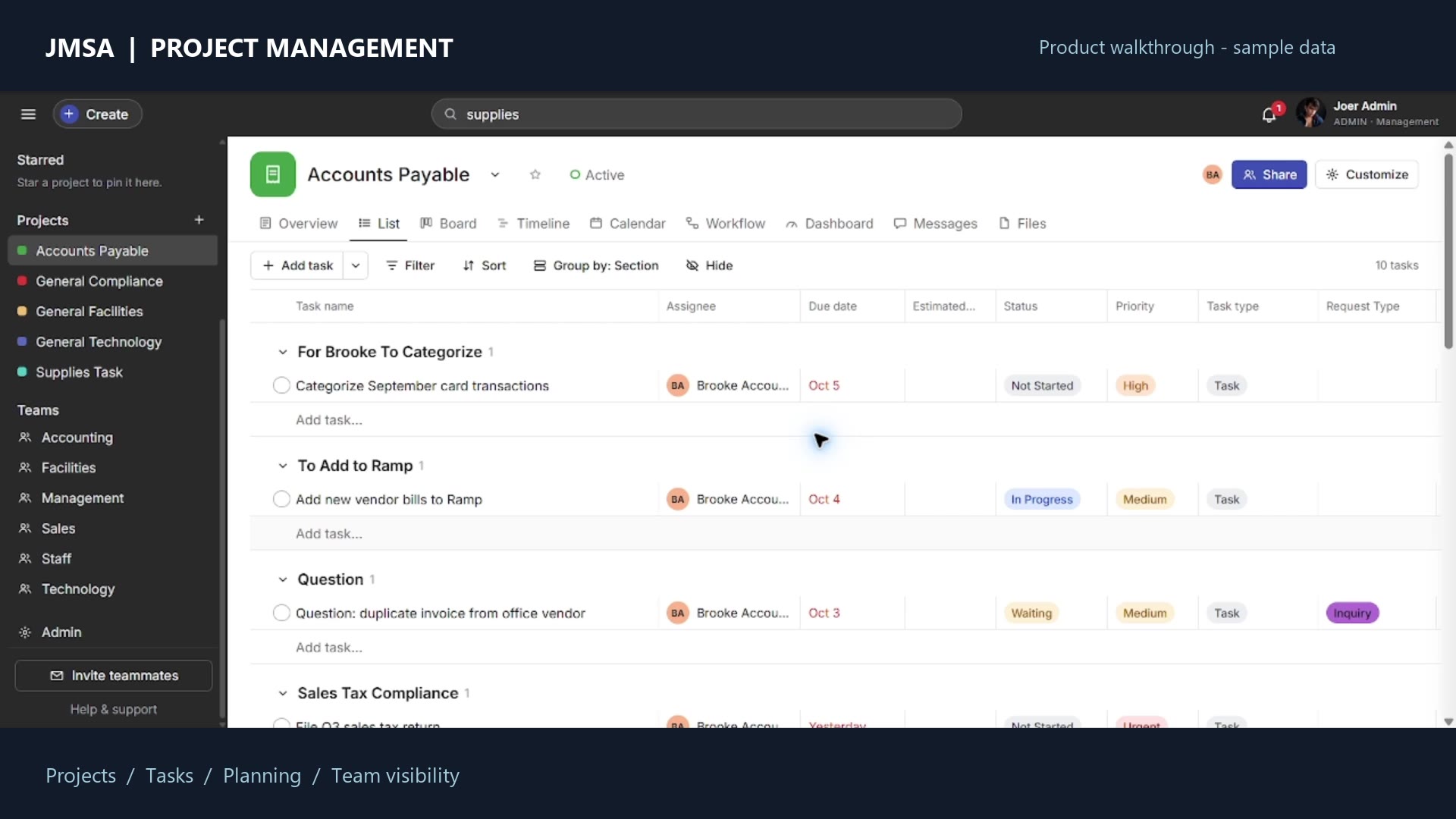
When tasks live in different chats and spreadsheets, follow-ups get harder. JMSA Project Management connects the work to the people and dates behind it.
See tasks, due dates, priorities and progress together, so next steps are easier to spot.
Keep assignments and project context close to the work, reducing “who’s handling this?” moments.
Switch between List, Board, Timeline and Calendar to plan details or understand the bigger picture.
Start with a structured system your team can adapt. Organize responsibilities, keep conversations near tasks and spot dependencies before they surprise you.
Flexible views and team context in the same workspace help turn project plans into clear next steps.
Group work into projects and stages.
Set assignees, status, priority and dates.
List, Board, Timeline and Calendar.
Descriptions, subtasks, comments and activity.
Show task relationships when sequence matters.
Project membership, roles and visibility options.
Search and notifications help you stay oriented.
Explore reporting, workload, portfolios and goals.
Watch the complete 8-minute product demo, then review the package details before ordering.
Watch the full demo on YouTube ↗Explore the product walkthrough for project views, task details, team coordination and management tools. Sample records are used in the demo.
4 planning views · 1 shared workspace · Blank master stays clean
The graphic beside this text is a conceptual illustration; the product demo shows the actual interface.This is a reusable template package—not a hosted subscription. Configure and deploy your own copy before using it.
Receive a clean Sheets database master, Apps Script source and setup guide.
Follow the guide to configure the database and initialize owner access.
Complete your own Apps Script deployment and team setup before day-to-day use.
Get the editable building blocks, then adapt your own copy to your team’s needs. One-time template price; no SaaS subscription is represented.
No. JMSA Project Management is an independent, Asana-inspired tool. It is not affiliated with or endorsed by Asana.
No. This is a template package. Copy, configure and deploy your own version before use. The product demo uses sample data; the blank master remains clean.
The listed package includes a blank Sheets database master, Apps Script source and setup guide. Check the shop product details and order terms for current delivery information.
The tool uses Google Sheets and Apps Script, so you need a Google account and familiarity with configuring Apps Script for your own setup and deployment.
No specific savings are guaranteed. The template is designed to make ownership, deadlines, project views and team context easier to organize; results depend on your setup and adoption.
Review the current product details, included files and ordering options before you decide.
View product details & order →